Feature Flags and Experiments with PostHog: ship with control, learn with evidence
by Gary Worthington, More Than Monkeys
Most product teams have the same problem, and it has nothing to do with whether you’re using Scrum, Kanban, Shape Up, or the ancient art of “let’s just crack on”.
You ship something. A new screen. A new pricing page. A tweak to onboarding. A shiny button someone feels strongly about.
Then you wait.
A few days later, someone looks at a dashboard and says one of these:
- “Looks like it’s up. Nice.”
- “Hard to tell. Probably fine.”
- “Support tickets are up. Maybe unrelated?”
- “Let’s leave it a bit longer and see.”
This is how organisations accidentally run their product strategy on vibes.
The awkward truth is that real-world change is noisy. Users behave differently on Mondays. Marketing sends traffic from a new channel. One enterprise customer has a busy week. Someone’s kid gets hold of the iPad and signs up for 14 free trials. You can ship a change and see numbers move, but you often cannot tell whether your change caused it.
This is where feature flags and experimentation earn their keep.
Feature flags
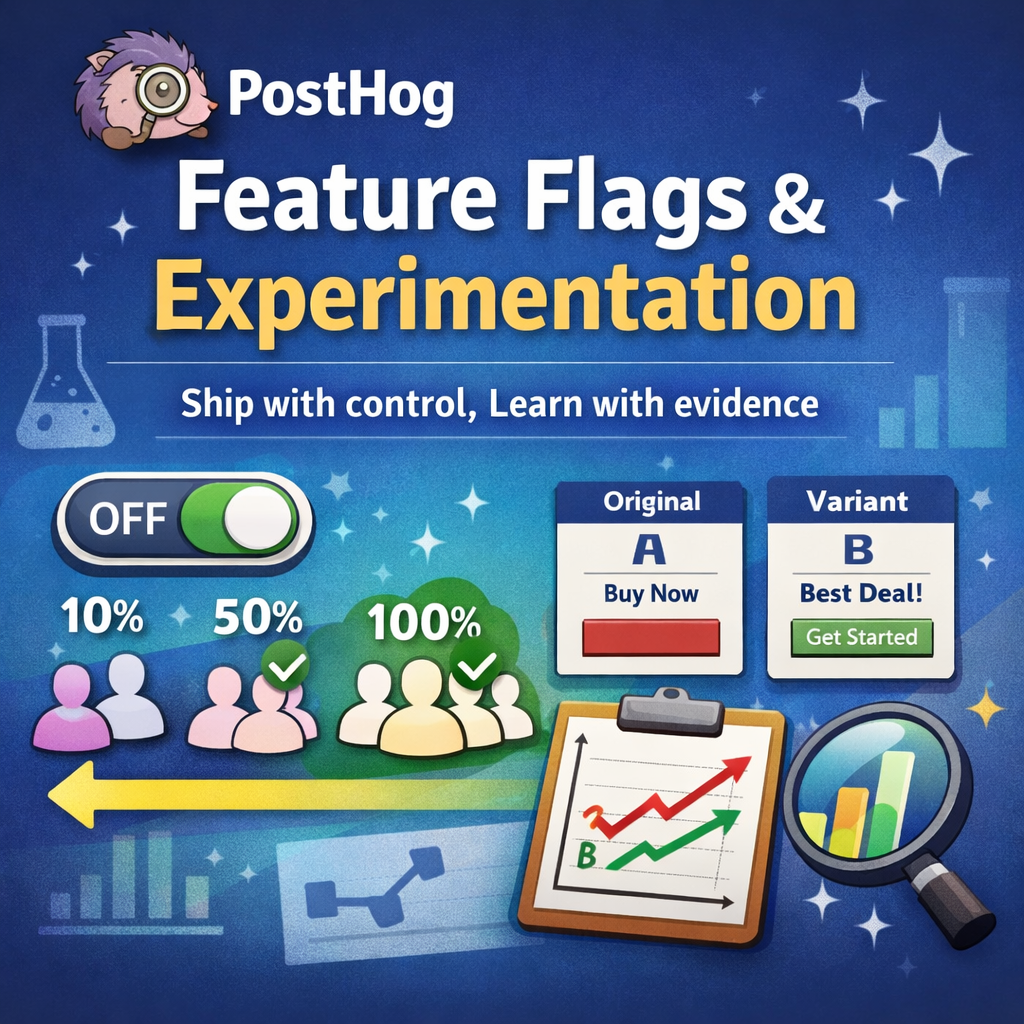
A feature flag is a simple switch.
It lets you put a change into the product without forcing it on everyone at once. You can turn it on for:
- just your team
- a small group of customers
- 5% of users
- people in a specific region
- one “problem” customer you are trying to keep calm until renewal
And if it goes wrong, you can turn it off quickly without panicking about a full redeploy or a rushed rollback.
If you have ever thought “I wish we could try this safely”, you want feature flags.
Experiments
An experiment is the disciplined version of “let’s see what happens”.
Instead of releasing a change to everyone and guessing, you deliberately show two (or more) versions:
- Version A (the current one)
- Version B (the change)
Then you measure what matters, like signups, activation, retention, revenue, support tickets, or whatever your business actually cares about. Not vanity metrics. Real outcomes.
This gives you something incredibly valuable: the ability to learn, confidently, from real users in the real world.
Why this matters to product teams
This is not “engineering tooling”. This is a way of working that changes the conversation inside a company.
Feature flags and experiments let you:
- Reduce risk without slowing down delivery
You can ship more often, but expose changes safely. - Stop arguing about opinions
You can test ideas instead of debating them for weeks. - Learn faster
You can find out what works with real users, not just internal assumptions. - Protect customers
When something is broken or confusing, fewer people see it. - Make better decisions
You can invest in what performs, and cut what doesn’t, with evidence.
PostHog is particularly good here because it puts feature flags and experimentation next to your product analytics. So you are not stitching together three tools and a spreadsheet while pretending that is “a process”.
In this article I’ll show what feature flags and experiments are for, how product teams use them day to day, and why this setup gives you a practical advantage: shipping changes with control, and learning from actual behaviour rather than hope.
From “we shipped it” to “we controlled it”
If you take nothing else from this article, take this:
Deployment is not the same thing as release.
- Deployment is when the new code is in production.
- Release is when users actually experience it.
Most teams treat those as the same moment, mostly because that’s how it used to work. You ship, everyone gets it, and you hope you didn’t accidentally break checkout for half your paying customers.
Feature flags split those two things apart.
That single change gives you a surprising amount of power:
- You can ship the code today, but release it next week.
- You can show it to 1% of users first, then ramp it up.
- You can try it with a specific customer segment, without affecting everyone else.
- You can turn it off instantly if you spot problems.
It’s the difference between “we launched it” and “we introduced it”.
And when you pair that control with experimentation, you don’t just ship safely. You learn safely.
Right, feature flags first.
Feature flags: what they’re actually for
A feature flag is just a switch. But “just a switch” turns out to be incredibly useful when your product is used by real humans who do unpredictable things at inconvenient times.
Here are the most valuable uses, without the engineering jargon.
Safer releases with gradual rollouts
Instead of giving a change to everyone at once, you can roll it out gradually:
- 1% today
- 10% tomorrow
- 50% when you’re confident
- 100% when you’ve seen it behave in the wild
If something goes wrong at 10%, you’ve contained the blast radius. You haven’t broken the experience for your entire customer base.
Anecdote: Sky Bet
When I was a Tech Lead at Sky Bet, we had our own internal feature flag tooling. For higher-risk features, we would roll out to a staff cohort first. Real usage, real devices, real “wait, why is that doing that?” moments, but in a relatively safe bubble. Then we’d roll out to customers in percentage increments while we monitored. If anything looked off, we paused or rolled back. Nothing magical. Just control, measured exposure, and fewer late nights.
Beta features without chaos
Want a beta programme? Great.
Feature flags let you:
- pick a group of customers
- give them early access
- gather feedback
- iterate quickly
- keep everyone else on the stable experience
It also stops “beta” becoming a vague label that everyone interprets differently. You control it explicitly.
Different experiences for different customers
Not every user is the same, and they do not all need the same thing.
Feature flags let you tailor what someone sees based on simple rules, for example:
- country or region
- device type
- customer tier (free vs paid)
- account type (individual vs team)
- internal only for staff accounts
This is useful for phased launches, enterprise rollouts, and anything where you want control rather than a big announcement and a prayer.
Kill switches
Sometimes you ship a change and it causes problems. Not catastrophic problems, just enough to create pain:
- conversion drops
- support tickets spike
- something feels off
- a payment edge case appears
A kill switch means you can disable the behaviour immediately, without waiting for a hotfix to go through the whole release pipeline.
It’s basically a fire extinguisher you mount on the wall before the kitchen catches fire.
Making product decisions easier
This is the bit non-technical teams tend to appreciate most.
Feature flags allow you to try ideas in the real product, with real users, without committing to them forever.
Instead of long debates and stakeholder opinions, you can say:
Let’s ship it behind a flag, release it to a small segment, and see what it does.
That approach makes teams calmer, faster, and more honest.
What PostHog feature flags give you
Lots of tools can give you a basic on/off switch.
PostHog goes further, because it lets you control who sees a change, when they see it, and what version they get. That turns feature flags from a “developer trick” into a proper product capability.
Rollouts by percentage
You can start small, learn quickly, and reduce risk.
This is not just safer engineering. It is also a better customer experience. If something is confusing or buggy, fewer people hit it, and you have time to fix it before it becomes a big drama.
Targeting specific groups
Sometimes you do not want a percentage rollout. You want a deliberate set of people.
For example:
- internal staff only
- a beta cohort
- customers on a specific plan
- customers in a particular country
- users who have already completed onboarding (or have not)
This is where feature flags stop being about releases and start being about product strategy.
More than on or off: variants
PostHog flags can return variants, not just a boolean.
That means you can run multiple versions like:
- control
- test-a
- test-b
Variants are the foundation for experimentation, because you can compare outcomes between versions instead of doing guesswork.
Configuration without a redeploy
Sometimes you do not need “a whole different feature”. You just need to tweak a value:
- the default number of steps in a flow
- a threshold for showing a prompt
- which message appears in a banner
PostHog lets you attach a small configuration payload to a flag so behaviour can be adjusted without shipping new code every time.
Used well, this makes teams faster. Used badly, it becomes a second settings system you cannot reason about. Keep it simple and intentional.
A single source of truth for product behaviour
The underrated benefit is organisational, not technical.
When flags live in PostHog:
- product can see what is currently on, off, or rolling out
- engineering can ship without fear
- support can understand what a customer is seeing
- you can stop relying on tribal knowledge like “I think we turned that on last Tuesday”
It makes release state visible, not a mystery.
Why this pairs so well with analytics
A feature flag on its own gives you control.
Feature flags tied directly to analytics give you control plus learning.
It means you can answer questions like:
- Did the new onboarding flow increase activation?
- Did the new pricing page increase paid conversion, or just increase confusion?
- Did we reduce support tickets, or did we just move the problem somewhere else?
And you can answer them using real behaviour, not a meeting full of opinions.
Which brings us to experiments.
Experiments: feature flags with discipline
An experiment is not “we shipped a thing and the chart went up”.
It’s a controlled way to answer a specific question using real users:
- show different versions to different people
- measure outcomes that matter
- decide what to do next based on evidence
This matters because product work is full of plausible ideas that can still be wrong. Good people with strong opinions can argue for days and still end up shipping the worse option. An experiment is how you replace debate with learning.
What experimentation is good for
Experiments work best when:
- you have two or more plausible options
- the change is isolated enough that you can attribute impact
- you can define a clear outcome (activation, paid conversion, retention, revenue, support volume)
Examples that usually suit experimentation:
- onboarding changes
- checkout and payment flows
- pricing page layout and messaging (usually not the actual price)
- “nudges” and prompts
- key navigation or IA changes
- performance improvements that might change completion rates
Experiments are usually a waste of time when:
- you are fixing a bug (just fix it)
- you are changing ten things at once (you will learn nothing useful)
- you do not have enough traffic for signal (you will learn frustration)
- you will not act on the result anyway (sadly common)
Anecdote: Yepic
At Yepic we used GrowthBook to run an experiment on our payment flow with three variants. The point was not to prove someone right. It was to stop guessing.
We measured checkout completion and paid conversion, then made a decision based on what users actually did, not what sounded nice in a meeting. It was a very effective way to remove opinion from the room without starting a fight.
Designing an experiment that teaches you something
Most “failed” experiments fail before they start. Not because the tool is wrong, but because the question is mushy.
Here’s the minimum bar.
1) Write a hypothesis you can be wrong about
A decent hypothesis has three parts:
- the change
- the expected effect
- the outcome metric
For example:
- “If we reduce the payment form to one step, paid conversion increases.”
- “If we show pricing earlier in onboarding, activation increases.”
If you cannot write this in one sentence, do not run the test yet. You are not ready.
2) Pick a primary metric and two guardrails
Your primary metric should represent real value, not motion.
Good primary metrics:
- paid conversion
- activation within a time window (for example 7 days)
- retention at day 7 or day 30
- revenue per user
Then pick guardrails so you do not “win” by breaking something else:
- refund rate
- support tickets per user
- churn
- time to complete a flow
- error rate
This avoids the classic failure mode where you optimise for clicks and accidentally create angry customers. A delightful victory.
3) Decide who is eligible
This is where teams quietly poison their own results.
If you are testing onboarding, exclude users who already finished onboarding.
If you are testing checkout, exclude users who cannot actually buy.
Eligibility first. Variant assignment second.
This also makes the test easier to explain to stakeholders: “We tested this on new users going through checkout” is a clean sentence. “We tested this on everyone and then filtered the data” is how you get awkward questions.
4) Keep the change focused
You want a test where you can point at the result and say, with a straight face, “it was probably that change”.
If you change:
- pricing copy
- layout
- page speed
- and add a discount banner
Then conversion changes, you have learned exactly nothing about why.
If you want to test multiple ideas, do multiple experiments. Boring, but effective.
Running the experiment without fooling yourself
You do not need to become a statistician. You do need to avoid the obvious traps.
Do not peek every day
If you check results every morning and stop the experiment when it looks good, you will “prove” all sorts of nonsense.
Decide a duration up front. Stick to it.
If you must monitor something daily, monitor guardrails and stability:
- errors
- timeouts
- payment failures
- support spikes
That’s risk management. Not “deciding the winner early because the line went up yesterday”.
Watch for sample ratio mismatch
If you set up a 50/50 split but end up with 70/30, something is off:
- targeting rules are wrong
- eligibility is wrong
- a variant is failing to load
- client-side flicker is causing double assignment
If the split is not what you intended, treat the result with suspicion. You might still learn something, but you should not declare a clean win.
Novelty effects are real
Users often react to “new” before they react to “better”.
A new design can temporarily increase engagement because it stands out, then decay back to normal once it becomes familiar.
This is one reason short experiments can mislead you. You want to run long enough that you are not just measuring surprise.
Practical significance beats statistical victory
Even if the tool says “this is statistically significant”, ask the adult question:
- is it big enough to matter?
A 0.2% lift might be huge at massive scale, or irrelevant if your bigger problem is that nobody understands your pricing.
Tie the result back to impact, not just confidence levels.
How PostHog fits into this
PostHog is useful here because it joins three things in one place:
- the feature flag that controls exposure
- the experiment definition (variants, targeting)
- the analytics needed to measure impact
That is a big deal. Most tooling setups fail because they turn experimentation into a spreadsheet exercise with three sources of truth and nobody who trusts any of them.
The practical flow is:
- Create a feature flag with variants (for example control, variant-a, variant-b)
- Use that flag in the product to show the right experience
- Define success metrics using events you already track (funnels, retention, revenue events)
- Run the experiment against an eligible audience
- Decide, ship, and clean up
Two practical points that matter a lot:
1) Avoid variant flicker
If the UI loads before flags are available, users can briefly see one variant and then switch to another. That’s bad UX and it can poison attribution.
The fix is simple: wait until flags are loaded before rendering the experiment-critical part of the UI, or bootstrap the assigned variant from the server for the first render.
2) Keep attribution clean
If you want to measure impact by variant, make sure your events can be broken down by the assigned variant. This is usually one of:
- PostHog automatically recording exposure and assignment
- your app attaching the variant to key events (especially if you capture server-side)
If you cannot reliably attribute behaviour to variants, you are back to vibes again, just with better charts.
What to do when the experiment ends
The end of an experiment should produce a decision, not a prolonged philosophical discussion.
Three outcomes:
1) Clear win
Roll it out gradually, monitor guardrails, then remove the old path. Delete the flag when you’re done.
2) Clear loss
Turn it off and remove the dead code. Do not keep it “just in case”.
3) Inconclusive
This is normal. It usually means:
- the effect is small
- the experiment ran too short
- the metric is noisy
- the change did not address the real problem
At this point you either run longer, redesign the experiment, or stop and move on. The worst option is to keep it running forever and call that “continuous optimisation”.
A workflow that actually works
Here’s a workflow I’ve seen work repeatedly without turning into a statistics-themed circus.
1) Write the hypothesis in one sentence
Not a novel. One sentence.
- “If we reduce the signup form to two fields, activation increases.”
- “If we show pricing earlier, paid conversion increases.”
If you cannot write it clearly, you are not ready to run the test.
2) Define who is eligible
If you’re testing onboarding, do not include users who already finished onboarding.
If you’re testing a checkout change, do not include users who cannot buy.
Eligibility first, then variant assignment.
3) Ship behind a flag
Build the change. Hide it behind a feature flag. Make sure you can turn it off.
This is also where you keep the team sane. You can merge and deploy without starting a release argument.
4) Roll out internally and to a small cohort
Test with staff. Dogfood it. Use a small beta group.
This is not the experiment yet. This is making sure it does not explode.
5) Run the experiment
Start with a simple A/B:
- control is the current experience
- test is the new experience
Avoid overlapping experiments on the same flow unless you really know what you are doing. Most teams do not, and that is fine.
6) Decide and clean up
When the experiment ends:
- If it wins, roll it out gradually, then remove the old path.
- If it loses, turn it off and remove the dead code.
- If it is inconclusive, either run longer or stop and move on.
Flags are not houseplants. If you never prune them, they take over.
The implementation bit
This is where we gently acknowledge reality: someone has to write code.
The trick is not “how to check a flag”. The trick is how to do it in a way that:
- avoids flicker
- avoids security leaks
- keeps analytics attribution clean
- does not fill your codebase with if (flag) spaghetti
Client-side flags (posthog-js)
Typical calls are:
- isFeatureEnabled('flag-key') for boolean flags
- getFeatureFlag('flag-key') for variants
- getFeatureFlagPayload('flag-key') for config payloads
Key point: on first page load, flags might not be available immediately. If you render a page before flags are loaded, you can get a variant “flicker”, which makes experiments messy and user experience worse.
Use the callback that fires when flags are ready.
import posthog from 'posthog-js'

type FeatureState =
  | { ready: false }
  | { ready: true; newCheckout: boolean; buttonVariant?: string | boolean }

let state: FeatureState = { ready: false }

posthog.onFeatureFlags(() => {
  const newCheckout = Boolean(posthog.isFeatureEnabled('new-checkout'))
  const buttonVariant = posthog.getFeatureFlag('checkout-button-variant')
  state = { ready: true, newCheckout, buttonVariant }
})
If you are using React, put that into component state and render a sensible fallback until ready is true.
Server-side flags (Node.js)
Server-side flags are where you enforce sensitive behaviour:
- pricing entitlements
- admin-only capabilities
- anything you do not want visible in the browser
import { PostHog } from 'posthog-node'

const client = new PostHog(process.env.POSTHOG_KEY as string, {
  host: 'https://us.i.posthog.com',
})

export async function shouldUseNewCheckout(distinctId: string): Promise<boolean> {
  const enabled = await client.isFeatureEnabled('new-checkout', distinctId)
  return Boolean(enabled)
}

export async function checkoutVariant(distinctId: string) {
  return client.getFeatureFlag('checkout-button-variant', distinctId)
}
Clean attribution: record the variant
If you capture events server-side, you want those events to be attributable to the variant. The simplest pattern is to attach the assigned variant to the event properties when it matters.
await client.capture({
  distinctId,
  event: 'checkout_started',
  properties: {
    '$feature/new-checkout': 'test',
  },
})
Now you can break down outcomes by variant without guesswork.
Python example
If your backend is Python, the patterns are the same: boolean flags, variants, payloads.
from typing import Any, Optional, Union
import posthog
FeatureFlagValue = Union[bool, str, None]

def get_checkout_variant(distinct_id: str) -> FeatureFlagValue:
    """
    Get the assigned variant for a multivariate checkout experiment.
    Returns:
        A variant key (e.g. "control" or "test"), or None if no condition matches.
    """
    return posthog.get_feature_flag("checkout-experiment", distinct_id)

def is_new_checkout_enabled(distinct_id: str) -> bool:
    """
    Check whether the boolean new checkout flag is enabled for a user.
    """
    enabled = posthog.feature_enabled("new-checkout", distinct_id)
    return bool(enabled)

def get_remote_config(distinct_id: str) -> Optional[Any]:
    """
    Fetch a remote config payload for a user.
    Payloads can be any valid JSON type.
    """
    return posthog.get_feature_flag_payload("checkout-config", distinct_id)
Common traps
Flag sprawl
If you add flags and never remove them, your codebase becomes a choose-your-own-adventure book with no ending.
Do this instead:
- Keep flag checks in a small number of places.
- Name flags consistently.
- Remove flags and dead paths once the decision is made.
Peeking at results every day
If you check the results every morning and stop the test the moment it looks good, you will “prove” all sorts of nonsense.
Decide duration upfront, then stick to it.
Polluting the sample
Internal users, QA accounts, and staff clicking around can contaminate your results.
Make sure you exclude internal traffic from experiments, or at least tag it clearly.
Changing multiple things at once
If you change layout, copy, pricing presentation, and page performance in the same experiment, and conversion changes, what did you learn?
Nothing useful.
Keep experiments focused.
Measuring the wrong thing
Clicks are not always value. Often they are just motion.
Tie experiments to outcomes that matter.
What this gives product teams in the real world
When feature flags and experiments are part of normal delivery, the team starts working differently.
You get:
- Smaller bets
You test ideas in slices rather than committing to a whole roadmap item based on belief. - Faster learning loops
You can go from idea to evidence without waiting a quarter. - Calmer releases
Rollouts are controlled, reversals are quick, and “we might have broken something” becomes manageable. - Better prioritisation
The backlog becomes less about opinions and more about proven impact.
That’s the real value. Not the tech. The change in how decisions get made.
A simple starting plan
If you are new to this, do not try to become an experimentation organisation overnight. You will just create chaos with graphs.
Do this instead:
- Pick one high-risk feature and put it behind a kill switch.
- Use a gradual rollout on the next release.
- Run one experiment on a high-impact flow (onboarding or checkout).
- Decide, clean up, and repeat.
You will learn more from doing one experiment properly than running five half-baked ones and arguing about the results.
Closing thought
Feature flags let you control exposure.
Experiments let you measure impact.
PostHog lets you do both, connected to analytics, which is where it stops being “a developer thing” and becomes a product capability.
If your team wants to move faster and make better decisions, this is one of the simplest ways to get there.
Gary Worthington is a software engineer, delivery consultant, and fractional CTO who helps teams move fast, learn faster, and scale when it matters. He writes about modern engineering, product thinking, and helping teams ship things that matter.
Through his consultancy, More Than Monkeys, Gary helps startups and scaleups improve how they build software — from tech strategy and agile delivery to product validation and team development.
Visit morethanmonkeys.co.uk to learn how we can help you build better, faster.
Follow Gary on LinkedIn for practical insights into engineering leadership, agile delivery, and team performance